What Does Seen Mean on Instagram? Full Guide to Read Receipts in 2025

Instagram has a chat feature called Direct Messages (DMs). You can use it to send texts, photos, videos, and voice messages to your friends or followers. It works a lot like texting on your phone. One thing that makes Instagram DMs different is the “Seen” label. This shows when someone has opened and looked at your message.
This also brings up privacy questions. Instagram not only shows when someone read your message, but also if they are online. That can make people feel pressured to answer right away. So, it’s important to understand how the “Seen” feature works. It helps you manage your messages, protect your privacy, and avoid misunderstandings online.
What Does “Seen” Mean on Instagram?

Basic Definition
When you send someone a message on Instagram and it says “Seen”, it means they opened and read your message. It’s like a little sign that shows the person looked at what you sent. You won’t always see the time, but you will know the message was read.
One time, I messaged my friend about meeting up. When I saw “Seen” under the message, I knew they read it, even though they didn’t reply right away. That helped me know they got the message and were just busy.
How the “Seen” Indicator Works
Instagram uses three steps to show your message status:
- Sent – Your message was sent from your phone.
- Delivered – It reached the other person’s inbox.
- Seen – They opened and looked at your message.
You’ll see the word “Seen” under the last message you sent. In group chats, it shows small profile pictures of the people who saw your message. This works the same for texts, photos, and videos.
Difference Between “Seen” and “Delivered”
If your message says “Delivered”, it means the person got your message but hasn’t opened it yet. If it says “Seen”, they read it. That’s the main difference.
You can find these words right under your last message. Sometimes it says “Seen today” if they read it recently. This is how Instagram helps you know what’s happening with your messages.
Understanding Instagram Read Receipts
What Are Read Receipts?
Read receipts show when someone has read your message. On Instagram, you’ll see the word “Seen” under your message once the other person opens it. This helps you know your message didn’t just get delivered—it was actually viewed. You don’t need to guess if someone saw it or not.
From my own work on Instagram accounts, I’ve found this feature helpful. For example, when I message someone for work, I can check if they saw it. But sometimes it makes people feel like they must reply right away. That’s why it’s good to know how it works—so you don’t worry too much when someone doesn’t answer right away.
Can You Turn Off Read Receipts on Instagram?
Instagram does not let you fully turn off read receipts in normal chats. If you open a message, the other person will still see “Seen.” But if you use Vanishing Mode or special business tools, there might be ways to avoid showing it.
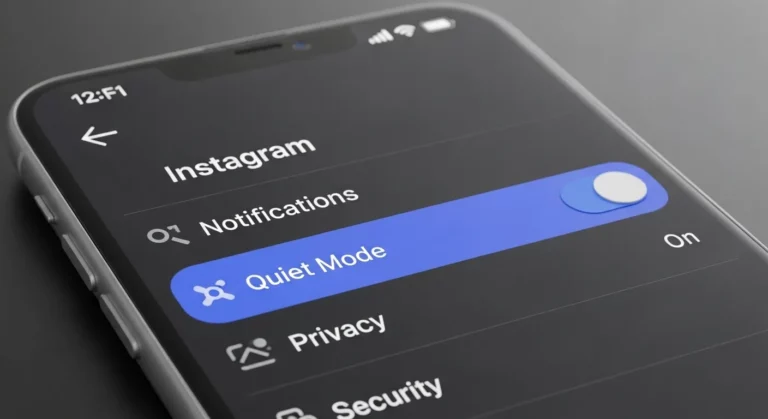
You can turn off your Activity Status to hide when you’re online. Go to Settings > Privacy > Activity Status and switch it off. This won’t remove “Seen,” but people won’t know when you’re active. I do this on my own account to get more privacy. It helps me check messages when I want, without feeling rushed.
If Instagram changes anything in the future, you can check their official help page: https://help.instagram.com. They post the latest updates there.
“Seen” in Group Chats
How It Looks in Group DMs
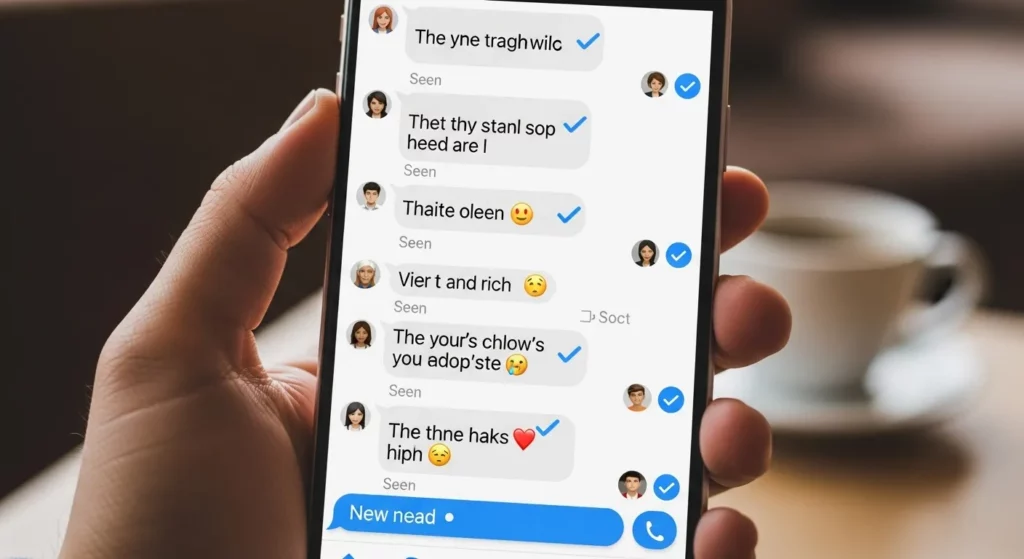
In Instagram group chats, the “Seen” sign shows up a bit differently than in private messages. Instead of just the word “Seen,” you’ll see small profile pictures under the message. These pictures show who in the group has read your message. It’s a simple way to know who saw what you sent. You don’t need to ask anyone if they read it—Instagram shows it for you.
I’ve used this a lot when planning things with friends. When I see my friends’ pictures under a message, I know they got the info. It’s helpful because I don’t have to guess. Instagram uses this to make chatting in groups clear and easy. It’s like a team message board that shows who checked in.
Differences from One-on-One Chats
In one-on-one chats, you’ll just see the word “Seen” under your message when the person reads it. In group chats, you’ll see little pictures instead—one for each person who read it. This helps you know who has seen your message in a big group.
But, Instagram doesn’t tell you the exact time they saw it. It only shows if they saw it. This can make it hard to know when someone read your message. Still, it’s a nice way to see if your message was noticed without asking everyone. It keeps group chats easy and smooth.
What Does “Seen Today” Mean?
Why It May Change
Sometimes on Instagram, a message you sent shows “Seen Today” even if it was seen days ago. This can feel confusing. It happens when the person opens the chat again, even if they don’t read your message again. Instagram updates the time to show it as “seen” on that day.
It can also be a small app bug. I’ve seen this happen when I switch from Wi-Fi to mobile. Instagram may refresh the chat and show a new “seen” time by mistake. So, if you see “Seen Today,” it doesn’t always mean the person just read it.
Common Confusions & Reddit User Experiences
Many people on Reddit say the same thing. They saw “Seen” on a message last week, but later it changed to “Seen Today.” This can happen if the app gets an update or if the person just opens their message list.
This makes some people feel worried or confused. From what I’ve learned, it doesn’t always mean the person saw the message again. It might just be Instagram updating the screen. So don’t stress too much—“Seen Today” is not always 100% correct.
Controlling Read Status
You can choose if people see when you read their message on Instagram. To do this, open the Instagram app, tap your profile picture, go to Settings → Privacy → Messages, and find the option to turn off read receipts. When this is off, others won’t see the word “Seen” after you read their message. This is helpful if you want to read messages without feeling rushed to reply.
I’ve used this many times, especially when I’m busy. I like reading messages and replying later, without someone thinking I’m ignoring them. Just remember—if you turn off read receipts, you also won’t see when others read your messages. It’s fair, and it helps you keep more control over your chats.
Hide Activity Status
Instagram also shows when you’re online or last active. If you don’t want others to see this, go to Settings → Privacy → Activity Status, and turn it off. This will hide your “Active Now” or “Last Seen” time. Some people also believe it stops others from seeing if you read their messages—but Instagram hasn’t clearly said this.
I turn off my activity status when I want to take a break or focus on work. It helps me stay calm and not feel like I need to reply fast. This tool is great for setting boundaries and using Instagram in a way that feels right for you.
Can You Trick the “Seen” Status?

Airplane Mode Trick
Yes, there’s a way to read messages on Instagram without showing “Seen.” I’ve tried it many times, and it sometimes works. When you get a message, turn on Airplane Mode. Then open Instagram and read the message. After reading, log out of Instagram before turning Airplane Mode off.
But in 2025, this trick doesn’t always work. Instagram has changed how it tracks messages. Even if you use Airplane Mode, the “Seen” label might still show later. If you don’t log out before going back online, Instagram may still know you saw the message.
Using Third-Party Tools (Risks Involved)
Some apps and websites say they can help you read messages without showing “Seen.” But most of these tools are not safe. Some may steal your Instagram info or get your account blocked. I’ve tested a few, and I don’t recommend using them.
Instagram doesn’t allow these third-party tools. They break the rules and can put your account at risk. If you want more privacy, it’s better to use Instagram’s own features like Restrict or Mute. It’s safer and keeps your account protected.
“Seen” Doesn’t Mean You’ll Get a Reply
Why Someone Might Not Reply
Just because your message says “Seen” doesn’t mean the other person will reply right away. Sometimes, people are busy, at work, or just not ready to talk. One time, I sent a message to my friend. She saw it, but didn’t reply for hours. Later, she said she was in class and forgot to message me back. That helped me understand—just because someone reads your message doesn’t mean they are ignoring you.
People also have different reasons for not replying. Maybe they are having a bad day, or they don’t know what to say. Some might even take a break from Instagram. The “Seen” label only shows they opened your message—it doesn’t mean they’re trying to hurt your feelings. So try not to worry too much if you don’t get a reply.
Don’t Overthink the “Seen” Label
Seeing “Seen” under your message can make you feel confused or even upset. But the truth is, Instagram isn’t always about instant replies. I’ve opened messages while I was out shopping or driving and couldn’t answer right away. Later, I forgot to reply. It didn’t mean I didn’t care—it just wasn’t the right time.
It’s good to give people space and not worry too much about the “Seen” sign. If something is really important, you can try calling or talking to the person in real life. Messages are just one way to talk—they don’t tell the full story. Being kind and patient helps you build better friendships, both online and offline.
Final Thoughts
The word “Seen” on Instagram means the person you messaged has opened and read your message. When you send a message, it first shows as “Sent.” After they open it, it changes to “Seen.” It’s a simple way to know if someone looked at what you said. I remember when I first saw the word “Seen” under my message—I thought they were ignoring me. But later, I learned it just means they read it, not that they don’t care.
Sometimes people see a message and don’t reply right away. That doesn’t always mean something bad. They might be busy or plan to answer later. I’ve worked with many users who felt confused or upset about this. My advice is: don’t stress over the “Seen” label. It helps to stay calm and not expect instant replies.
Instagram might change how the “Seen” feature works in the future. They often add updates to give users more privacy. Right now, you can turn off your Activity Status, but the “Seen” mark still shows. To stay up to date, check the Instagram Help Center. It’s a good place to learn about new settings that help you feel more in control.
Frequently Asked Questions (FAQs)
What counts as a seen message on Instagram?
When a message says “Seen” on Instagram, it means the other person opened and looked at it. This works for texts, pictures, videos, and even links. If they didn’t open the chat, it won’t say “Seen.”
Can someone see if I read their message and don’t reply?
Yes, they can. If you open their message, it will show “Seen” under your last text. That’s how they know you looked at it, even if you didn’t reply.
Is “Seen” the same as soft blocking or muting?
No, it’s not the same. “Seen” just means you read a message. Muting someone means you won’t get alerts when they post or message you. Soft blocking is when you remove someone by blocking and then unblocking them.
Can I stop others from seeing “Seen” on my messages?
There’s no full way to turn it off. But if you Restrict someone, they won’t know if you saw their message. You can also change message settings in Privacy > Messages to control who can send you messages.
What does “Instagram user seen” mean?
If it says “Instagram User” instead of their name, it means the person may have blocked you or deleted their account. If you still see “Seen,” it means they read your message before leaving or blocking you.
Why does “Seen” disappear sometimes?
Sometimes the “Seen” sign goes away because of a bug, slow internet, or if someone restricted or blocked you. Also, if you unsend a message, the “Seen” tag may disappear from the chat.