What Does Archive Mean on Instagram? 5 Key Facts

On Instagram, archive means hiding a post, story, or video from your profile. When you archive something, your followers can’t see it anymore, but it’s not deleted. Only you can still view it in a private section. You can bring it back anytime. This helps you clean your profile without losing likes, comments, or memories.
No one gets a message when you archive or unarchive a post. It’s a quiet way to fix your profile. This is great if you want to keep things neat or hide old posts. You can learn more from Instagram’s help page on archiving.
Understanding the Archive Feature on Instagram
What Is Archiving on Instagram?
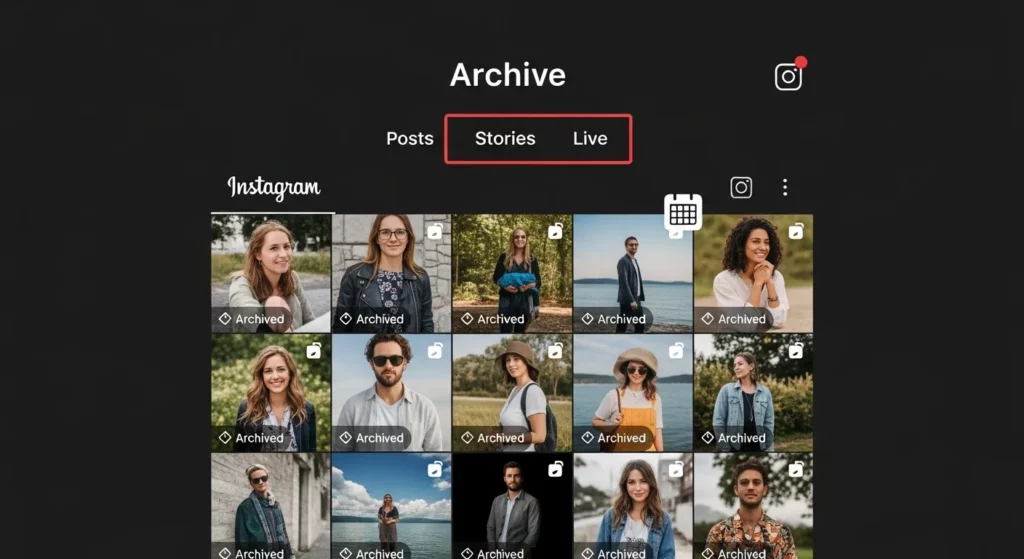
Archiving on Instagram means hiding a post, story, or reel from your profile. It’s not deleted—you can still see it, but your followers can’t. This is great if you want to clean up your page without losing likes or comments. You stay in control and can bring the post back anytime. Think of it like putting your post in a private folder.
I used the archive feature when I changed the theme of my Instagram. Some old posts didn’t match, but I didn’t want to delete them. So, I archived them. Later, I brought one back when it fit again. It was easy and saved me from losing my likes and comments.
Instagram also saves your stories in a place called Story Archive. After 24 hours, stories disappear from your profile, but they move to this folder if you turn the setting on. You can see them later or add them to your Highlights. It’s a smart way to save your memories.
When Was Archive Introduced?
Instagram added the archive feature in June 2017. Before this, if you wanted to remove a post, you had to delete it. But now, you can just hide it without losing anything. This update gave people more control over what others see on their page.
I remember using this feature when it first came out. I was testing new types of posts. Some didn’t look good, but I didn’t want to lose the comments or likes. So, I archived them. Later, I brought some back when I needed them. It helped a lot.
Today, archiving is one of the best tools on Instagram. It helps people—like influencers, business pages, and everyday users—keep their profile clean. You can find your archived posts anytime by tapping the menu on your profile.
What Happens When You Archive a Post on Instagram?
Is the Post Deleted?
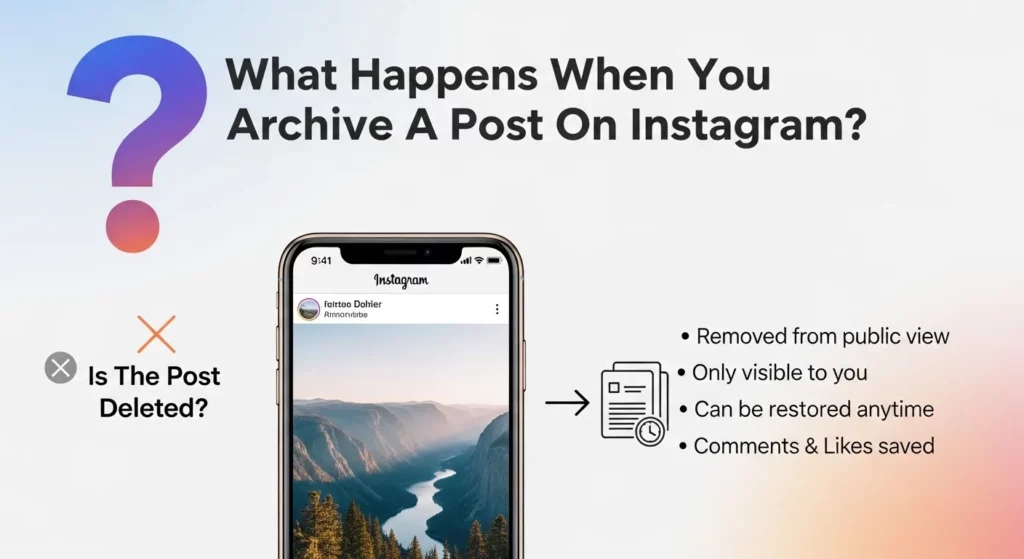
No, archiving a post does not delete it. It only hides the post from your profile. Other people won’t see it, but you can still see it in your private archive. I’ve used this myself when I wanted to take a break from an old post without deleting it. Later, I changed my mind and brought the post back—and it looked just the same.
Archiving is like putting a photo in a drawer. You don’t throw it away. You just keep it somewhere safe where others can’t see it. It’s a smart way to clean up your profile without losing anything.
Do Likes and Comments Stay Intact?
Yes, when you archive a post, all the likes, comments, and views stay saved. Nothing goes away. I once archived a post that had many nice comments. When I brought it back, everything was still there—just like before.
This is really helpful if you are a creator or sell something online. You can hide a post without losing your likes and comments. Your post’s history stays the same, even when it’s hidden. That way, when you unarchive it, all your hard work is still there.
How to Archive and Unarchive Instagram Posts
Step-by-Step: How to Archive a Post
Archiving a post on Instagram is an easy way to hide it without deleting it. I’ve done this many times when I wanted to clean up my profile but didn’t want to lose my likes or comments. To archive a post, go to your Instagram profile, tap the post you want to hide, then tap the three dots at the top right. From the menu, choose “Archive.”
Once you do this, the post disappears from your profile, but it’s not gone forever. All your likes, comments, and views stay saved. It just moves to a private spot where only you can see it. This is helpful if you’re not ready to delete something but don’t want everyone to see it right now.
To see your archived post later, go to your profile, tap the three lines in the top right, and choose “Archive.” From there, you can see all your hidden posts, stories, and lives. This helps you keep your profile clean and still keep your content safe.
Step-by-Step: How to Unarchive a Post
If you ever change your mind, you can unarchive a post anytime. I’ve done this when I felt like an old post matched my new content again. First, go to your profile, tap the three lines in the top corner, and choose “Archive.” Make sure you’re looking at Posts Archive. Tap the post you want to bring back.
Once you open the post, tap the three dots, then choose “Show on Profile.” That’s it! The post will go back to your feed just like before. It will keep all its likes, comments, and original date.
Keep in mind, the post won’t appear at the top of your feed—it will go back to the spot where it was first posted. But this tool is great if you want to bring back a post without uploading it again. I use it to keep my profile looking good while also saving time.
Benefits of Using the Archive Feature

Keep Your Profile Clean Without Losing Data
Sometimes, old posts don’t match your new style. I had a few photos that looked out of place on my feed. But I didn’t want to delete them because they had nice comments and likes. So, I used the archive option. It let me hide the posts without losing anything.
This is a great way to organize your profile. If you’re a business or creator, you can tidy up your page without erasing your work. It’s like cleaning your room—you move things, not throw them away. Later, you can bring them back if you want.
Repost Content Later Without Losing Engagement
One cool thing about archiving is that your likes and comments stay safe. I once shared a product post and later moved it to the archive. When the product launched, I put the post back, and all the likes and comments were still there. That helped me save time and keep my post looking strong.
This is very helpful for Instagram businesses. You can bring back posts for sales, holidays, or events. It’s like pressing pause and then play again—without losing anything.
Temporarily Hide Posts from Public View
Sometimes, you’re not sure about a post. I’ve had moments when I posted something and later wanted to take a break from it. I didn’t want to delete it, so I just archived it. Later, I felt better and brought it back.
Archiving lets you hide posts while keeping them safe. It’s perfect when you’re changing your style or testing something new. Whether you use Instagram for fun or for business, this tool gives you control without stress.
When Should You Archive Instead of Delete?
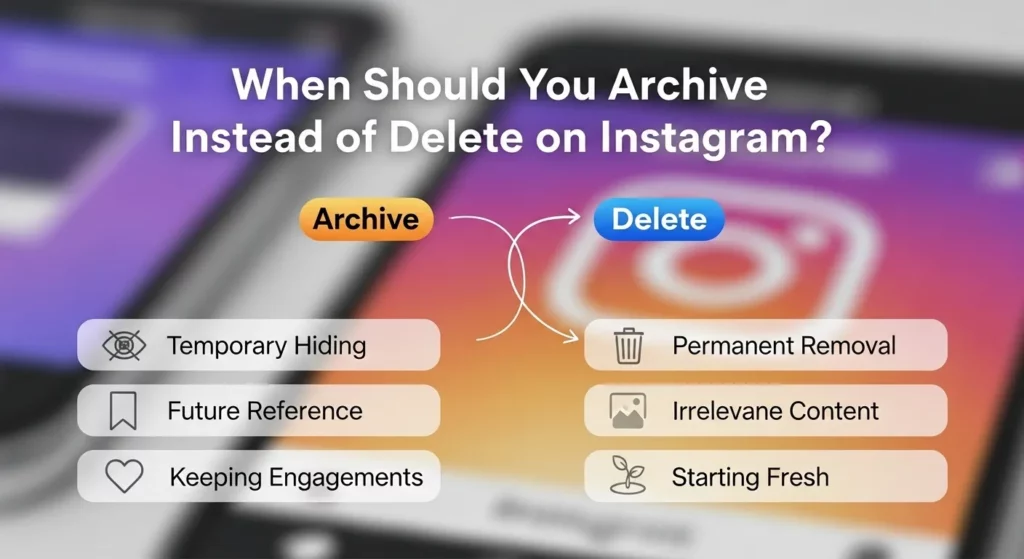
Situations Where Archiving Makes Sense
Sometimes, you want to remove a post from your profile, but you don’t want to lose it forever. That’s when archiving is the best choice. It hides the post from others, but you can still see it—and it keeps all the likes and comments. Later, if you change your mind, you can bring the post back anytime.
I once changed my Instagram from personal posts to more work-related content. Some old photos didn’t fit the new look. But I didn’t want to delete them, so I archived them. Later, I used one of those old photos in a “Throwback Thursday” post—and it got great engagement! Archiving helped me save my content for later use.
You can also use archive to test how your profile looks. If you want your feed to look clean or match a certain style, you can hide posts without deleting them. It’s a good way to keep your profile neat without losing anything important.
Why Influencers and Brands Use Archive
Influencers and brands use the archive feature to manage their content. If a post doesn’t match their new theme or brand style, they just archive it. That way, they can keep the post and its data, but it won’t show on their profile. It’s useful for tracking what worked or didn’t work in the past.
I help run some Instagram accounts for small businesses. We often archive old sales posts after the offer ends. The post is gone from the feed, but we still have it saved. Later, we can reuse the photo or check the results. It’s very helpful for planning and making better posts in the future.
Sometimes, influencers work with brands for short-term deals. When the deal ends, they archive the post so it doesn’t confuse their followers. But the content is still there if they need to use it again. Archiving helps them stay organized and professional.
Can You Archive Instagram Stories and Reels?

Yes, you can archive both Instagram Stories and Reels! This means you can hide them from your profile without deleting them. I use this feature a lot when I want to clean up my profile but don’t want to lose the views or likes. It helps me keep everything saved for later use. If you’re a content creator or run a business page, this tool can be super helpful.
How Story Archive Works
When you post a story on Instagram, it usually disappears after 24 hours. But if you turn on the Story Archive feature, Instagram will save all your stories in a private folder. To see them, go to your profile, tap the three lines (☰), and choose “Archive.” I like this because I can go back and repost or turn them into Highlights anytime I want. I’ve used saved stories before to show customer reviews and special deals.
To turn it on, go to:
Settings > Privacy > Story > Save story to archive
You can also check Instagram’s official help page for more.
Reel Archive Feature Explained
Reels don’t get saved automatically, so you have to do it yourself. If you want to hide a reel, tap the three dots (•••) on the post and pick “Archive.” This takes it off your profile, but it still keeps all the likes, comments, and views. I once archived a reel during a rebrand and brought it back later—it still had all the engagement!
To see your archived reels:
Go to your profile > tap ☰ > Archive > and choose Posts Archive at the top.
This is a great way to clean up your profile without losing your hard work. You can bring your reel back anytime with just a few taps.
Instagram Archive vs Delete: What’s the Difference?
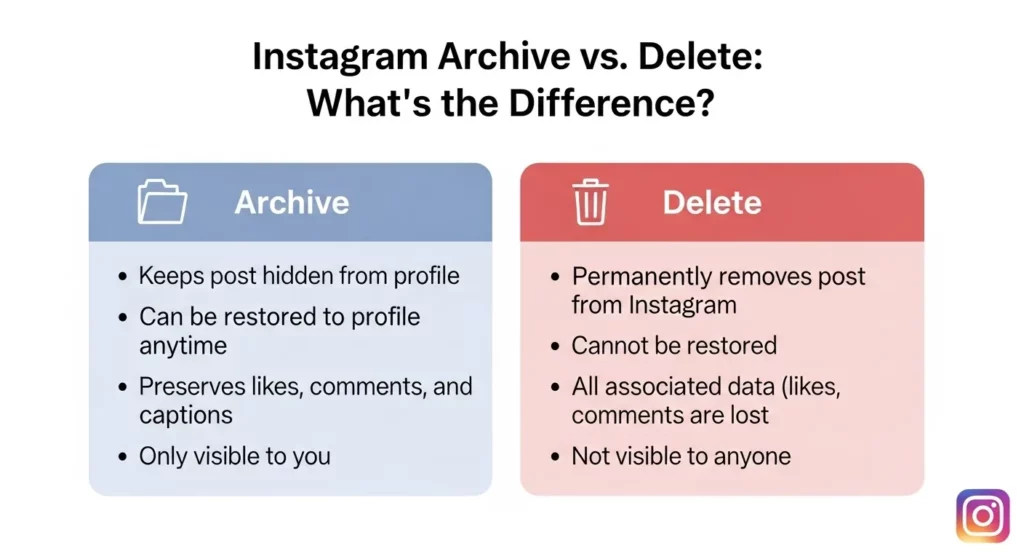
What Happens When You Delete vs Archive?
When you delete a post on Instagram, it’s gone forever. You can’t get it back. All the likes, comments, and shares are lost. I once deleted an old photo I didn’t like. Later, I wanted to post it again—but it was gone for good.
When you archive a post, it just hides from your profile. No one can see it, but it’s still there. You don’t lose the likes or comments. You can unarchive it later if you change your mind. It’s like putting the post in a hidden box that only you can open.
Instagram says on its Help Center that archived posts are private and safe. That’s why archiving is a smart way to keep control of your posts without losing them forever.
Which Is Better for Content Management?
If you want to save your posts and maybe use them later, archiving is better. I used this tool when I changed how my profile looked. I hid some old posts but didn’t lose the likes or comments. Later, I brought some back when they fit my new style.
You should delete a post only if you never want it again. Like a blurry photo or something that doesn’t match your page. If it’s still important or has good likes, archive it instead.
Think of it this way: Delete means gone. Archive means hidden. If you post a lot or care about your profile, archiving helps you stay organized while keeping your work safe.
FAQs (Frequently Asked Questions)
What is the point of the Instagram archive?
The Instagram archive lets you hide posts or stories from your profile without deleting them. You can still see them, but no one else can. This helps if you want to make your profile look better without losing your likes or comments.
How do I see archived posts?
To see your archived posts, go to your Instagram profile, tap the three lines in the top corner, and select “Archive.” You can then switch between posts, stories, or live videos using the menu at the top.
Do archived posts show up in search or hashtags?
No. When you archive a post, it disappears from your profile and from all searches or hashtags. Even people who liked or saved it before won’t see it anymore.
How long does an archive last?
Instagram archives last as long as you want. They don’t expire. You can leave your posts archived for days, months, or even years.
When you unarchive a post, does it repost?
No, it does not repost like a new post. When you unarchive a post, it goes back to your profile in the same spot as before. It keeps the same date, likes, and comments.
Final Thoughts
Archiving is great if you want to take a break from a post or test a new look for your profile. You can always bring the post back later. It’s also helpful if you’re trying to grow your page or show a new style. I use it to keep my content organized. It’s like saving things in a private folder—only you can see them.
Sometimes, you might post something personal, then later feel it doesn’t belong on your profile. Instead of deleting it, you can archive it. That way, you still have it, but others can’t see it. This gives you more control over what people see, while keeping your past posts safe and easy to bring back when you’re ready.
🔗 Learn more on Instagram’s official help page: https://help.instagram.com