What Does Business Chat Mean on Instagram? Top 5 Tips

Instagram isn’t just for sharing photos anymore. Today, it’s a big tool for businesses to reach people. Many brands use it to show products, talk with customers, and even give support right inside Instagram DMs. I’ve helped small shops set up their Instagram business accounts, and I’ve seen how simple chats can turn a follower into a real customer.
For businesses, the label does more than show “business.” It unlocks tools like quick replies, saved answers, and labels to keep chats organized. For customers, it means easy access to help, updates, and offers without leaving the app. In the end, Business Chat makes talking faster, safer, and more helpful for everyone.
What Does Business Chat Mean on Instagram?
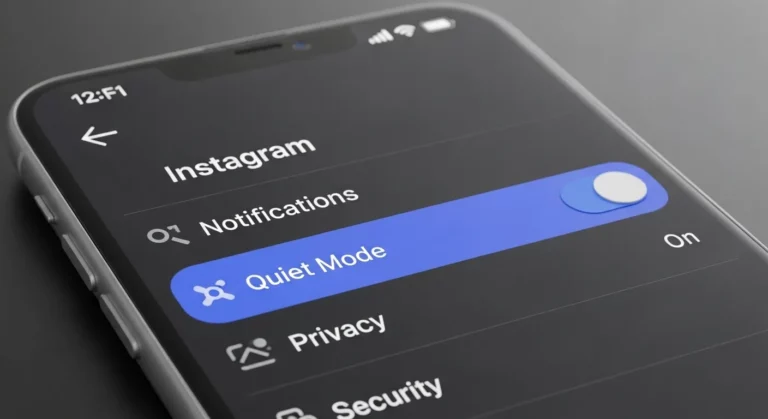
When you see “Business Chat” in Instagram DMs, it means you’re talking with a business or creator account, not a normal personal profile. Instagram adds this label so you know the account is for work, like selling products, giving customer support, or promoting a brand. This helps people trust that they are speaking with a real business.
From my own experience helping small shops, this label makes a big difference. Customers feel safer asking questions when they see “Business Chat” in the header. I’ve seen people ask about prices, shipping, or services more often once they know they are talking to an official business page.
The main difference between a business chat and a personal chat is the tools. In a personal chat, you can only send and receive messages. In a business chat, brands can use extra tools like quick replies, auto messages, and labels to stay organized. Both Business accounts and Creator accounts get the “Business Chat” tag. That means shops, influencers, and service providers can all use it.
Key Features of Instagram Business Chat

Direct Communication
Instagram Business Chat lets customers and businesses talk in private, just like texting a friend. Instead of sending emails or waiting for a call, people can ask questions right in Instagram DMs. When I helped a small clothing store run their account, most shoppers messaged about sizes or shipping. Quick answers made them feel cared for and often led to more sales.
Tools for Businesses
Business accounts get tools that make chatting easier, like quick replies, auto responses, and labels. For example, if customers keep asking about delivery times, a business can set up a saved reply to answer in seconds. I once set this up for a café, and the owner told me it cut down her reply time a lot. These tools save energy and make even small shops look professional.
Customer Engagement
This chat isn’t only for fixing problems—it’s also for building stronger ties with customers. Businesses can share order updates, answer product questions, or even give personal tips. I worked with a skincare shop that used DMs to follow up with buyers and share care tips. Customers loved the extra help, and many came back to order again.
Analytics & Insights
Instagram also gives businesses data about their chats. They can track how fast they reply, what customers ask most, and how people engage. According to the Instagram Help Center, this data helps businesses improve service and response times. I’ve seen how checking these numbers can reveal problems—like slow replies at night—so businesses can fix them and make more sales.
How Business Chat Differs from Normal Chat on Instagram

When you chat with a friend on Instagram, the message looks simple. You only see their name and picture. But when you chat with a business, you see a small line at the top that says “Business Chat.” This shows you are talking to a business or creator account, not a regular personal account. The first time I saw it, I realized it helped me know right away if I was talking to a shop or brand.
Business chats also come with special tools that personal chats don’t have. For example, a business can set up quick replies for common questions like “What are your hours?” or “Do you deliver?” They can also use auto-replies when they are offline. I once helped a small bakery use these tools, and they said it saved them hours every week. Customers liked it too because they got answers faster.
A personal account is mainly for posting pictures, stories, and chatting with friends. A business account has extra features like ads, insights, and contact buttons. If you sell clothes or food, you can even send product links straight in the chat. This is something a personal account cannot do. That is why many people switch to business profiles when they start selling.
It is also good to know what businesses can and cannot see. A business does not see your private details. They only see what you share in the chat or what is public on your profile. Instagram says all chats with businesses stay private. From my own work with brands, I have seen that customers often feel safer when they know this. Businesses can reply faster, but they still cannot see your personal data.
Benefits of Business Chat for Businesses
Improved Customer Support
One of the biggest wins of Instagram Business Chat is fast customer support. Instead of sending long emails or waiting on phone calls, customers can just drop a DM and get a quick reply. In my own work with small businesses, I’ve seen how even a simple “We’re on it!” message can calm a customer who is upset. A quick response shows you care, and often that’s enough to turn a problem into a loyal customer moment.
Business Chat also allows you to use tools like quick replies and saved answers for common questions. For example, if customers always ask about shipping times, you can have an automatic reply ready. This saves time and makes the support feel smooth, even when messages come in at night or during busy hours.
Marketing & Promotions

Business Chat isn’t just for answering questions—it’s also a smart marketing tool. Brands use it to send out updates about new products, discounts, or events. I once worked with a clothing store that would share a “sneak peek” of their new collection through DMs, and customers loved feeling like insiders. That personal touch made people more likely to buy.
You can also use Business Chat to share product demos, videos, or limited offers. Since Instagram is already a visual platform, showing products directly in chat feels natural. It’s more personal than a feed post because the message lands right in the customer’s inbox.
Sales & Conversions
Many businesses now use Instagram DMs as a sales channel. Instead of directing people to a complicated website, you can answer questions, share payment options, and even close deals right inside the chat. I’ve seen cafes take cake orders or fitness trainers book clients directly through Instagram messages. It feels fast, easy, and safe for both sides.
The real power here is removing “friction.” If someone is already excited about a product they saw in your story, they don’t have to leave Instagram to buy. You guide them smoothly from interest to purchase without losing momentum. That kind of direct conversion is why Business Chat is becoming a core part of social selling.
Building Trust & Relationships

Trust is the currency of online business, and Business Chat is one of the best tools to build it. When customers see that a real person responds quickly and kindly, they feel more confident about buying. I remember ordering handmade jewelry from a small shop on Instagram—the owner messaged me updates until my package arrived. That personal care made me recommend her to friends.
By keeping communication real-time and human, businesses create loyal communities around their brand. A chat that starts with a product question can turn into a long-term relationship. Over time, these small conversations are what turn casual followers into repeat customers and brand advocates.
Privacy & Security of Business Chats
Meta’s Role in Data Handling
When you use Instagram Business Chat, Meta (the company that owns Instagram) collects some information. They do this to make the chat work better, speed up replies, and sometimes show ads that fit your interests. From my own use of a business account, I noticed Meta gives options to manage what you share. The good news is that your messages are private and not made public. What Meta mainly looks at are things like how often people send messages or how quickly a business replies.
What Businesses Can and Cannot See
Some people think businesses can see everything about you if you chat with them. That’s not true. A business can only see what you type in the chat and what’s already public on your profile, like your username or bio. When I ran my own business page, I could answer customer questions but I never saw their private posts or personal details. Businesses cannot see your private DMs with friends, your photos, or your browsing history.
Are Business Chats Private?
Yes, business chats are private. When you see the label “Business Chat” at the top of a DM, it just means the account is a business or creator. No one else can see the chat except you and the business. I once had a delivery problem and solved it by messaging a shop through Business Chat, and the whole talk stayed between us. Think of it like messaging customer support, only inside Instagram.
User Control Over Privacy
You have control over who can message you on Instagram. You can block a business, mute them, or move their messages to a request folder. You can also use the “restrict” option if you don’t want someone to bother you but don’t want to block them fully. I’ve used this myself when I got spam messages—it kept my inbox clean without drama. These tools make it easy to keep your chats safe while still talking to businesses you trust.
How to Start or Identify a Business Chat on Instagram
When you open your Instagram messages, you may see the words “Business Chat” at the top. This means you are talking to a business or creator account, not a personal one. It’s Instagram’s way of showing you that the account is official. I remember once messaging a café about their opening hours. The label made me feel sure I was talking to the real café, not a copy account.
For businesses, turning this feature on is simple. First, switch to a Professional Account in your Instagram settings. Go to Settings → Account → Switch to Professional Account, then choose “Business” or “Creator.” Once you do this, you’ll get tools like quick replies, saved responses, and chat labels. Your messages will also show as Business Chats, which helps customers trust you more.
If you’re still on a personal account, you don’t have these tools. With a business account, you can organize messages, reply faster, and even set up auto-replies for common questions. I once helped a small clothing shop set this up, and their chats became so much easier to manage. Instead of messy inboxes, they had a clear system for talking to customers and handling sales.
FAQs (Frequently Asked Questions)
What does “Business Chat” mean in DMs?
When you see “Business Chat” at the top of a message, it means you are talking to a business or creator account. Instagram uses this tag so you know the account is professional, not just a regular user. I’ve seen small shops use this feature, and it makes customers feel safe knowing they’re talking to the real business.
Can I turn off Business Chat on Instagram?
You can’t remove the “Business Chat” tag if you have a business account. The only way to get rid of it is to switch back to a personal account. I’ve seen some creators do this when they want to keep things casual, but you lose tools like insights and quick replies if you switch back.
Is Business Chat available for Creator accounts?
Yes. Both Business and Creator accounts show the “Business Chat” label. Creator accounts are more for influencers and artists, while business accounts are built for brands and stores. A blogger I worked with chose a creator account because it gave her insights but still felt personal.
Do businesses see more info than personal accounts?
No, businesses can’t see your private details. They only see what you make public, like your profile photo, name, and username. What’s different is that businesses get tools to manage chats, like labels and response-time insights. Many people ask me if businesses can see their private info, and the answer is no — Instagram keeps chats private.
Can Business Chat help with sales?
Yes, it can. Many small shops I’ve helped use Instagram messages to answer questions about prices, shipping, or products. If they reply fast, people often buy right away. Business Chat makes this easier with quick replies and links to shopping tools. For many businesses, DMs are like a digital storefront where chats turn into sales.
Conclusion
Instagram Business Chat is not just a tag in DMs. It’s a way for businesses and customers to connect more clearly. It shows users they are talking to a real brand, and it gives businesses tools to reply faster and stay organized.
For businesses, it’s a chance to build trust and boost sales. For users, it makes chatting with a brand simple and safe. From what I’ve seen, Instagram is moving closer to becoming a shopping space inside social media, where conversations and buying go hand in hand.